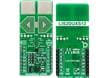

MIKROE-4926

Mikroe
932-MIKROE-4926
MIKROE-4926

Herst.:

Beschreibung:
Entwicklungstools für Beschleunigungssensoren Smart Sens Click

Auf Lager: 3

Lagerbestand:
3 sofort lieferbar
Lieferzeit ab Hersteller:
3 Wochen Geschätzte Produktionszeit des Werks für Mengen, die größer als angezeigt sind.
Minimum: 1   Vielfache: 1
Stückpreis:
-,-- €
Erw. Preis:
-,-- €
Vorauss. Zolltarif:

Preis (EUR)

Menge Stückpreis
Erw. Preis
30,10 € 30,10 €

Produktattribut Attributwert Attribut auswählen
Mikroe
Produktkategorie: Entwicklungstools für Beschleunigungssensoren
RoHS:  
Add-On Boards
Accelerometer, Gyroscope Sensor
BHI260
3.3 V, 5 V
Marke: Mikroe
Abmessungen: 57.15 mm x 25.4 mm
Zum Gebrauch mit: Sensor Data Processing Algorithms
Schnittstellen-Typ: I2C, SPI
Maximale Betriebstemperatur: + 85 C
Minimale Betriebstemperatur: - 40 C
Produkt-Typ: Acceleration Sensor Development Tools
Verpackung ab Werk: 1
Unterkategorie: Development Tools
Produkte gefunden:
Um ähnliche Produkte anzuzeigen, wählen Sie mindestens ein Kontrollkästchen aus
Um ähnliche Produkte in dieser Kategorie anzuzeigen, wählen Sie mindestens ein Kontrollkästchen oben aus.
Ausgewählte Attribute: 0

CNHTS:
8543909000
USHTS:
9031808085
ECCN:
EAR99

Sensor Click Boards

Mikroe Sensor Click Boards enable the addition of various sensors to applications and designs. Click boards™ are based around the mikroBUS™ interface standard and easily add incredible capabilities to systems. Mikroe Sensor Click Boards are ideal for any application that requires custom sensor capability. 

Smart Sens Click

Mikroe Smart Sens Click utilizes the Bosch Sensortec BHI260 and BMM150, an ultra-low-power programmable smart sensor and magnetometer. The BHI260 includes a programmable and powerful 32-bit MCU, a 6-axis IMU, and a robust software framework. In addition to its internal functions, it also performs signal data processing from the BMM150 that performs measurements of the magnetic field in three perpendicular axes. In addition to these primary functions, the board allows to select the desired serial interface, use the debug interface, and select BOOT mode.